
Vehicle types your way
Each type has its own fields, checklist and rates, so a supercar and an SUV ask for what each needs.
Talara's Vehicles is fleet management for luxury car rental businesses. Every car keeps its photos, prices and papers, the fleet calendar shows who has what, and each check-out, check-in and audit lands on the same damage diagram.
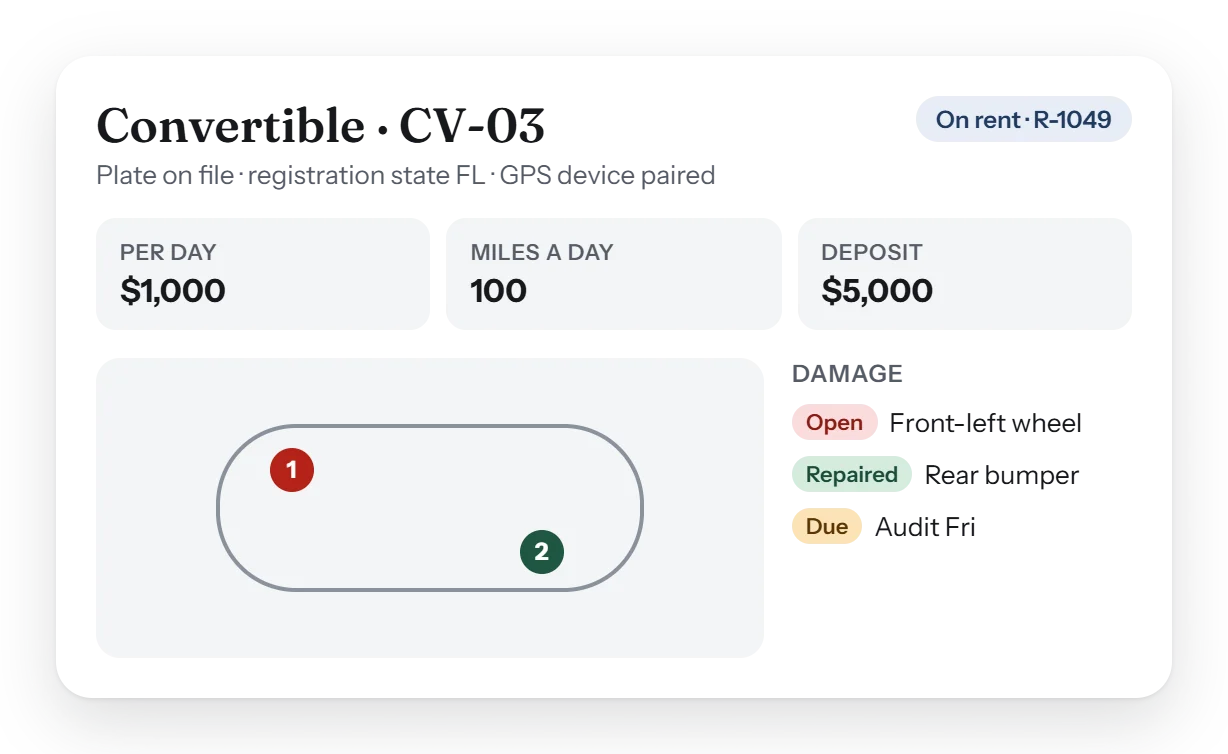
It keeps every car's photos, documents, prices and status in one place, shows the whole fleet on a calendar, and records each check-out, check-in and two-weekly audit with photos, fuel, miles and damage on one diagram. Work orders go to a named person with a due day.
Every car, every handover, every repair: the fleet side of the rental desk, built around the cars you actually rent.
Each type has its own fields, checklist and rates, so a supercar and an SUV ask for what each needs.
Every car's reservations, rentals and service in one view that scrolls sideways through the weeks.
Photos and video, fuel and miles at each handover. Photos can still be added after a check-out is done.
An in-house audit as a third form beside the check-out and the check-in, on the same damage diagram.
Each car's damage history, marked repaired when fixed, and work orders assigned to a Sales person with a due day in their Needs you.
Not for rent is a car's status, not a hidden list, and every view has one Filters button.
Three forms, one damage diagram. Whatever is pinned at a check-out is there at the check-in and the next audit, so a scratch is never found twice or missed once.
| Form | When | What it records |
|---|---|---|
| Check-out | At Pickup | Photos and video, fuel, miles, damage pinned, the renter's signature. A check-out more than 10 miles from the last check-in is flagged to Administrators, never blocked. |
| Check-in | At Return | Readings against the check-out, new damage on the same diagram, extra miles and fuel. |
| Audit | Every two weeks | An in-house look at each car between rentals, so damage and wear are caught before the next renter. |
Yes. Damage is pinned on one diagram shared by the check-out, the check-in and the audit, with photos and video, and each item can later be marked repaired.
Each car gets an in-house audit every two weeks, filled in as a third form beside the check-out and the check-in.
Yes. At onboarding your vehicles can be imported from a spreadsheet, then finished in the app with their photos and prices.
If a check-out's miles are more than 10 away from the car's last check-in, Administrators see it flagged. It never stops the rental.
Yes. A car can limit its comp days a month, counted by rental day, and a canceled rental gives its days back.
A short walk-through with your own cars, prices and paperwork, and an honest answer to what Talara does today.