
One rental, from first call to final statement.
A rental in Talara runs in eight steps, from the first call to the final statement. Each step picks up what the last one knew, so nothing is typed twice.
How does a car rental work in Talara?
A lead becomes a deal, the deal gets a quote, and the rental is booked once the drivers are checked and the deposit is in. The agreement is signed once, the car is picked up and released after the insurer check, and at the return an Administrator settles it from the deposit and closes it.
- Steps
- Eight, from Lead to Close
- Sales
- Lead to Return, with Needs you for what's next
- Administrators
- Approvals and Close, and anything Sales can do
- Where
- The web; Pickup and Return also on the iPad
What are the steps of a car rental in Talara?
Every step, who does it and what Talara checks.
-
Lead
A call, a walk-in or a website inquiry becomes a deal with an owner and its lead source, Self gen included. The source follows the customer to their next deal.
- Who
- Sales
- Where
- The web
- Talara checks
- A possible match with an existing customer, shown as a notice
-
Quote
Choose the dates, see which cars are free and priced from your rates, and share the quote by email. A deal can set its own miles included a day.
- Who
- Sales
- Where
- The web
- Talara checks
- Availability on the fleet calendar, and that every car has a daily price
-
Book
Scan each driver's license and insurance card, check their details and ages, record the deposit, then Secure deposit & book. A driver under the minimum age is sent to an Administrator for approval.
- Who
- Sales; an Administrator approves under-age drivers
- Where
- The web
- Talara checks
- Each driver's details, the minimum age, Do not rent and the deposit
-
Agreement
Your rental agreement is filled in from the deal and signed once, in person or by a secure link. The client's copy goes when you press Email to client.
- Who
- Sales and the renter
- Where
- The web, the showroom iPad, or the renter's own phone
- Talara checks
- The signed PDF is filed with the rental
-
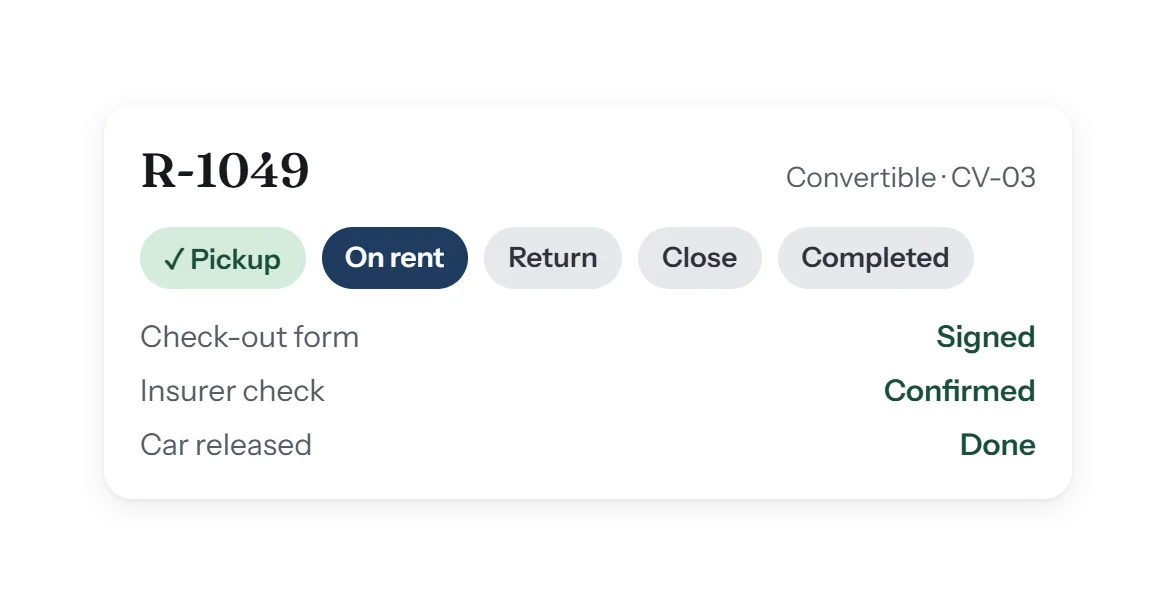
Pickup
Photos and video, fuel and miles, the plate, and the check-out form signed on one damage diagram. Photos can still be added after the check-out is done.
- Who
- Sales
- Where
- The web, or the showroom iPad with its camera
- Talara checks
- Miles far from the last return are flagged to Administrators
-
Release
The insurer check, then the car is released and On rent. On rent follows the release, never the money, so a car out with a payment still owed shows where it really is.
- Who
- Sales or an Administrator
- Where
- The web
- Talara checks
- Each driver's insurance, with Insurance verification
-
Return
Readings against the pickup; extra miles, fuel, tolls and damage priced from your rates. A renter who keeps the car longer gets an extension, its own piece with its own days, seller and daily price.
- Who
- Sales
- Where
- The web, or the showroom iPad
- Talara checks
- Readings against the pickup, and tickets for the rental's dates
-
Close
In Approvals, an Administrator reviews the drivers and payments, settles from the deposit with refunds, credits and waives, and completes the rental as one statement. The P&L, rep pay and partner pay follow from it.
- Who
- An Administrator
- Where
- The web
- Talara checks
- Every payment approved; what's left owed is settled by choice
Can Tara help at each step?
Ask Tara at any step. Tara knows each step from its help articles and the rental you're on. Ask, for example:
- “What's missing before Pickup?”
- “Which cars are free Nov 1–3?”
- “How do I close a rental?”
- “Add a work order for the scratched wheel.”
What does each person see?
Sales: Needs you
Each rep's next step on every deal and rental, and the work orders assigned to them with a due day.
Administrators: Approvals
Drivers, payments and rentals waiting for review, by rental, then Close as one statement and one finish.
Corrections stay possible
An Administrator can edit a rental until it's completed, and reopen a completed one to correct it.
The rental process, answered.
Do I need an iPad to use Talara?
No. Every step works on the web, on any screen. The showroom iPad is there for Pickup and Return, with its camera and signatures on the screen.
Can the renter sign before they arrive?
Yes. Send a secure signing link and the renter signs on their own phone; the signed PDF is filed with the rental.
What happens if the car comes back late or with extra miles?
At Return, Talara compares the readings with the pickup and prices extra miles, fuel and a late return from your rates. The charges come out of the deposit at Close unless the renter pays them.
Can a rental be extended?
Yes. An extension is its own piece of the same rental, with its own days, daily price and seller, who earns commission on it.
Who can close a rental?
An Administrator. Sales submit it for review; the Administrator approves the drivers and payments, settles it and completes it.