
A P&L in three views
Statement, Deals and Actual vs scheduled, with a deal margin, an operating margin and Other expenses.
Talara's Reports & pay is car rental reporting with a P&L built in. It shows the month and each car's profit, sales, fleet, partner and payment reports with Excel exports, and works out each rep's pay from the same completed rentals.
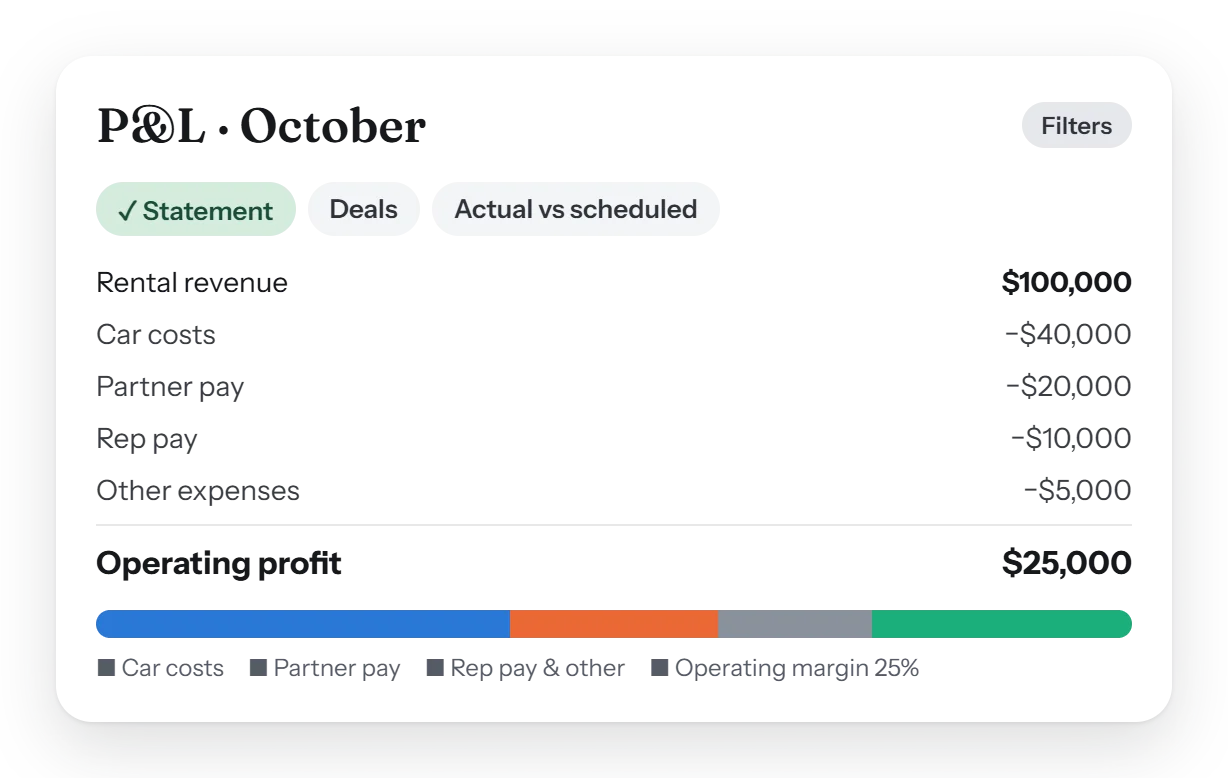
Talara has seven report tabs: Overview, P&L, Sales, Fleet, Partners, Payments and Customers. The P&L shows a deal margin and an operating margin, by month and by car, with Other expenses. Any report exports to Excel, and rep pay is worked out from the same completed rentals.
The numbers, from the rentals themselves. No spreadsheet to keep in step: the reports read the same completed rentals the desk works on.
Statement, Deals and Actual vs scheduled, with a deal margin, an operating margin and Other expenses.
What each car earned and cost, as All cars or Partner cars.
A tab for each, plus an Overview and a Dashboard for the day.
Every report's filters in one place, and one period picker on every tab.
Any report as an Excel file, up to 5,000 rows, made from the screen's own figures.
Monthly revenue goals for the business and for each seller.
Every rep's pay, line by line. Set once in Settings › Rep pay. Each rep sees their own lines and the reason for every adjustment.
| Pay line | How it's worked out |
|---|---|
| Commission | A share of the profit above a target margin, per piece of an order, so an extension pays its own seller. |
| Self gen split | The rep's split of the rent charged less the car's cost, on deals they generated themselves. |
| Salary | Each rep's salary for the pay period, counted only for the days they're on. |
| Extra and minus pay | An Administrator's adjustment with a reason the rep sees, with or without an order. |
| Change sellers | An Administrator moves an order's commission to another seller before the payout period. |
Yes. The P&L shows each month as a Statement, by deal, and actual against scheduled, with a deal margin, an operating margin and your Other expenses.
Yes. The Fleet report shows what each car earned and cost, for your own cars and for partner cars.
Commission is a share of the profit above a target margin, per piece of an order. Self gen deals pay the rep's split of the rent charged less the car's cost.
Yes. Any report exports to Excel, up to 5,000 rows, with the same figures as the screen.
Yes. Each rep sees their own pay lines, including every extra or minus pay and its reason.
A short walk-through with your own cars, prices and paperwork, and an honest answer to what Talara does today.