
Payment review
Each payment and deposit is approved or declined in one tap. A declined one counts in no total but is never deleted.
Talara's Payments is deposit and settlement tracking for car rental businesses. The deposit is secured before booking, every charge carries its own tax setting, each payment is approved by an Administrator, and each rental closes as one statement settled from the deposit.
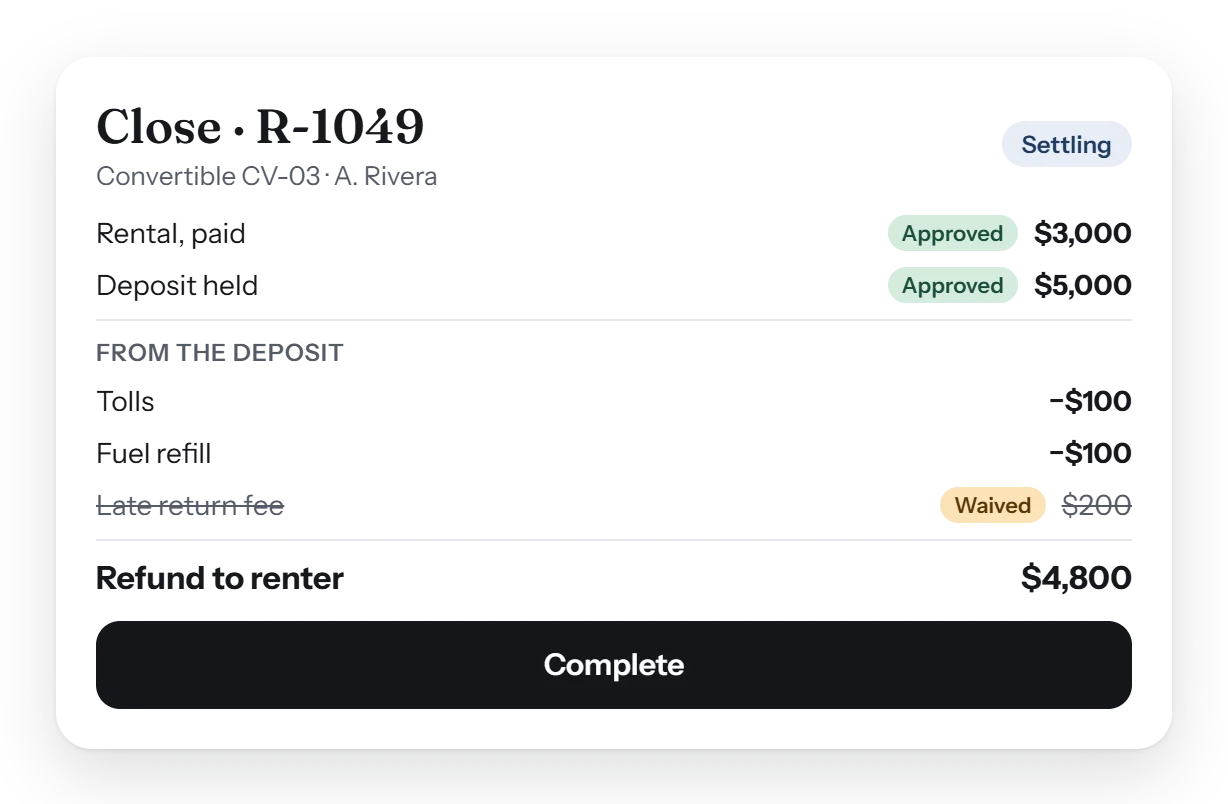
Talara records the deposit before a booking is made, adds tolls and extra charges against it during the rental, and settles it at Close: refunds, credits by category and waives, in one statement. Each payment and deposit is approved or declined by an Administrator. Card processing integrations are coming soon.
Every dollar on the rental, accounted for: one set of rules from the deal to the final statement, applied the same way for every rep.
Each payment and deposit is approved or declined in one tap. A declined one counts in no total but is never deleted.
The same dialog at the deal, the check-out and the check-in. Only Administrators enter a credit.
Set charges once for the business, including ones that apply on conditions, such as delivery after 7pm.
Each charge has its own Taxable tick. The card surcharge sits on the rental before tax and is locked when the booking is made.
Refunds by side, credits by category after tax, and Waive, shown as one statement before Complete.
An Administrator can complete an order with money still owed by choice, or reopen a completed one to correct it.
The rental is the rental; everything else is a fee the deposit covers, so the base rent and the extras never blur.
| Charge | Paid from | Rule |
|---|---|---|
| The rental | The renter's payments | The day rate with its tax; the card fee on the rental before tax, locked at booking. |
| Tolls a day | The deposit only | Never added to the rental's price. |
| Extra charges | The deposit, at completion | Unless the customer pays them; taxed only when ticked Taxable. |
| Credits | Back to the renter | Entered by an Administrator, by category, after tax. |
| Waived fees | Nobody | Shown struck through on the statement, one waive standing at a time. |
Not yet. Talara records each payment and deposit and has it approved; card processing and accounting integrations are coming soon.
Tolls a day only ever come out of the deposit. With the Tolls & tickets module, real tolls are matched to the rental and charged by your rules.
Yes. The same Add a charge dialog works at the deal, the check-out and the check-in, and each charge says whether it's taxable.
Only Administrators. Credits are entered by category, after tax, and show on the renter's statement.
Yes. An Administrator reopens the completed order, corrects its charges or payments, and completes it again.
A short walk-through with your own cars, prices and paperwork, and an honest answer to what Talara does today.